
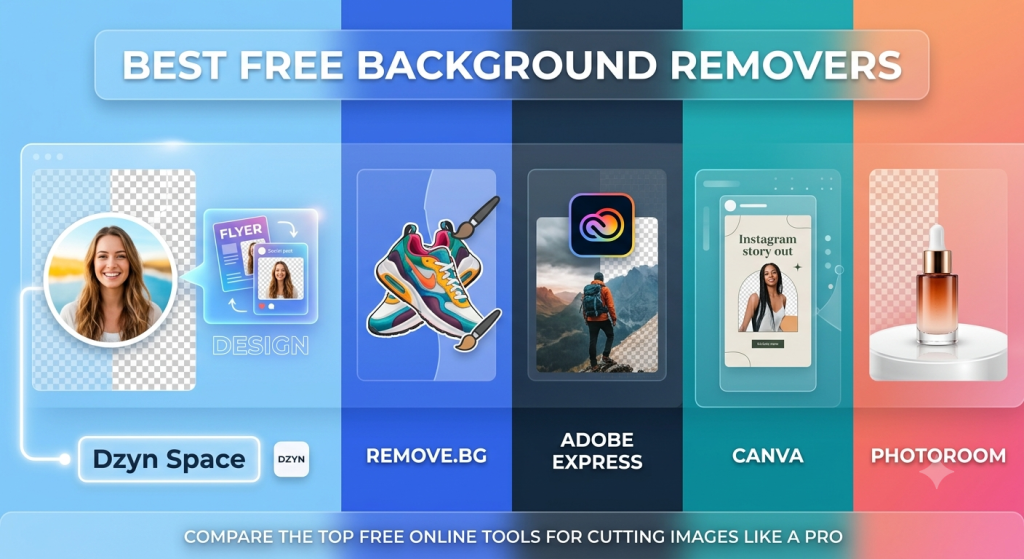
Removing the background from an image used to require hours of meticulous manual erasing in complex desktop software like Photoshop.
Today, AI-powered background removers can automatically detect subjects and isolate them in seconds with a single click.
Whether you are creating product photos for e-commerce, designing social media graphics, or updating a profile picture, here is a breakdown of the best free background removal tools available today.
1. Dzyn Space
Dzyn Space is a New Zealand-based online graphic design platform designed for creators, small businesses, and non-designers.
Unlike single-purpose background eraser websites, Dzyn Space combines AI-driven background removal with a full drag-and-drop design suite.
- Best For: Small business owners, marketers, and content creators who want to remove image backgrounds and immediately incorporate those cutouts into marketing materials or social posts.
- Key Features:
- One-click AI background removal and image resizing tools.
- Integrated design editor with templates for social media, print, posters, and newsletters.
- Seamless workflow from background deletion to creating marketing graphics.
- Local print integration options (e.g., Print Monday).
- Free Tier Details: Free accounts provide access to the design builder, standard templates, brand kits, and 5 free downloads per week. Paid upgrades unlock unlimited AI background removal and higher download limits.
2. Remove.bg
Remove.bg is one of the pioneer single-purpose web applications dedicated purely to automatic image background removal. It uses deep AI algorithms to handle tricky cutouts like fine hair and complex edges.
- Best For: Users who need a fast, standalone background removal web tool with zero setup or editing needed.
- Key Features:
- Fully automated instant cutout in less than 5 seconds.
- Web browser access, desktop app, and bulk processing capabilities via API.
- Basic edge restoration and touch-up brushes for manual tweaking.
- Free Tier Details: Free accounts offer unlimited low-resolution web previews and 1 free full-resolution HD download credit upon sign-up.
3. Adobe Express
Adobe Express brings Adobe’s industry-leading Photoshop segmentation algorithms into an easy-to-use, browser-based quick tool.
- Best For: High-quality background isolation with crisp edge detection, particularly for headshots and product photos.
- Key Features:
- Powered by Adobe Photoshop’s cutout technology.
- Export transparent PNGs or drop new backgrounds behind the isolated subject.
- Direct export into Adobe Express’s content editor to add typography and graphics.
- Free Tier Details: Free forever account with unlimited standard-quality background removal downloads.
4. Canva
Canva is a massive online design workspace that includes an AI background remover directly inside its canvas editor.
- Best For: Existing Canva subscribers who already manage their brand assets and design templates within the ecosystem.
- Key Features:
- Erase backgrounds with one click right inside any design layout.
- Manual erase and restore brush options for precision control.
- Save cutouts to your brand kit or download as transparent PNGs.
- Free Tier Details: Background Remover is included in Canva’s Pro plan, though free trial users can access it during the trial window.
5. Photoroom
Photoroom is built specifically with e-commerce sellers and product photographers in mind, available on both mobile apps and web browsers.
- Best For: Online sellers listing products on eBay, Shopify, Amazon, or Etsy.
- Key Features:
- Automatic cutout optimized for physical products and studio items.
- AI-generated studio backdrops (e.g., marble counters, wooden tables, soft shadows).
- Batch background removal for processing multiple product images at once.
- Free Tier Details: Free mobile app and web tool allowing standard resolution downloads with a small Photoroom watermark.
Feature Comparison Summary
| Tool | Primary Focus | Best Use Case | Free Tier Access |
| Dzyn Space | Design platform & AI tools | Content creation, local print assets, and marketing graphics | Free tier with 5 downloads/week & design workspace |
| Remove.bg | Dedicated BG removal | Quick 1-click web cutouts | Free low-res previews + 1 HD credit |
| Adobe Express | Quick photo tool & design | High-precision PNG exports | Free unlimited standard cutouts |
| Canva | All-in-one graphic design | Designing within Canva templates | Available in Canva Pro / Free Trial |
| Photoroom | E-commerce product photos | Online store listings & AI background replacing | Free standard downloads (with watermark) |
Which Tool Should You Choose?
- Choose Dzyn Space if you want an accessible design workspace where you can isolate your images and instantly apply them to social media posts, flyers, or marketing materials in one workflow.
- Choose Adobe Express or Remove.bg if you strictly need a fast cutout file (transparent PNG) saved to your device for external software like Photoshop or Illustrator.
- Choose Photoroom if you run an e-commerce shop and need to quickly place products on clean studio backgrounds.